Update Your Turing Profile
Last updated: June 9, 2026
"Keep your profile up to date to increase your chances of matching with the best opportunities. Follow these steps:
Keeping your profile up to date helps the platform's matching engine surface roles aligned to your skills and experience. An up-to-date profile improves the quality of job recommendations you receive.
1. Log in to your account at https://work.turing.com/
2. Click on your name in the top-right corner of the page.
3. Select Profile from the dropdown menu.
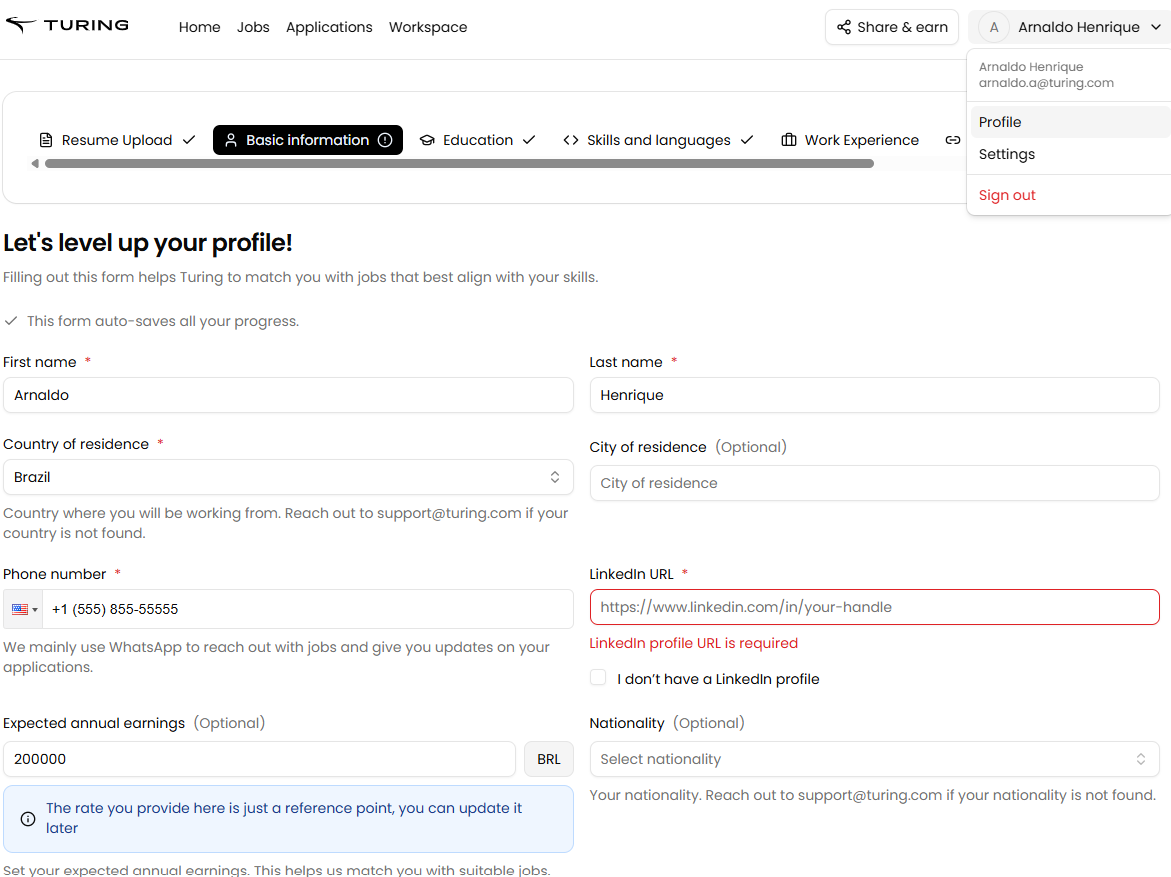
4. Select the section that you want to update
5. Make your changes and save them.
Important: The profile name fields only accept first and last names. If you need to update your full legal name (including middle name) for payment setup purposes, updating your profile name alone will not resolve payment mismatches. For example, if your profile shows “Omar Hassan” but your legal name is “Omar Ahmed Hassan,” you may need a wallet reset instead of a profile update. Contact support if you’re experiencing payment setup issues related to name mismatches.